
















01
Browser technology
Separate, persistent Camoufox profiles — each with its own storage, proxy and settings — on approved browser runtimes that are verified before they run.
Profiles and runtimesDN Labs · Da NangQuin Camoufox 0.7.5 · release candidate
An independent software lab building precise tools for the work that happens in browsers: separate identities, automation you can trust and a cloud that keeps them consistent.
01DN Labs
One developer, working end to end: the desktop application, the service behind it and the tools that extend it. Releases are small and tested on real computers, and every known limitation is written down next to the feature it affects.
02The product

Quin Camoufox is a Windows application for running many separate, persistent browser profiles on the Firefox-based Camoufox engine — synchronised with Quin Cloud, automated with RPA Plus and open to your own code through the Local API.
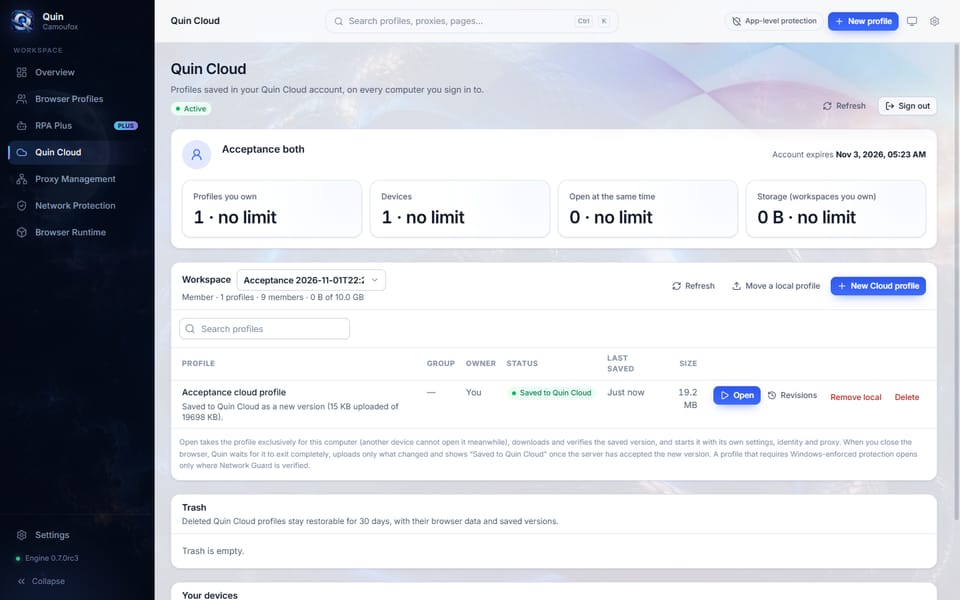
Profiles, RPA Plus, Quin Cloud, proxies and browser runtimes share one sidebar.
A Cloud profile reads “Saved to Quin Cloud” only after the server has accepted the new version.
Each save becomes an immutable revision, listed under Revisions.
03Capabilities
Three systems, designed together and tested together on real computers.
Separate, persistent Camoufox profiles — each with its own storage, proxy and settings — on approved browser runtimes that are verified before they run.
Profiles and runtimesRPA Plus workflows you build, record, debug and schedule, plus a loopback Local API for your own scripts.
Explore RPA PlusCloud profiles open on one computer at a time, upload only what changed and keep each save as a revision.
How Cloud sync works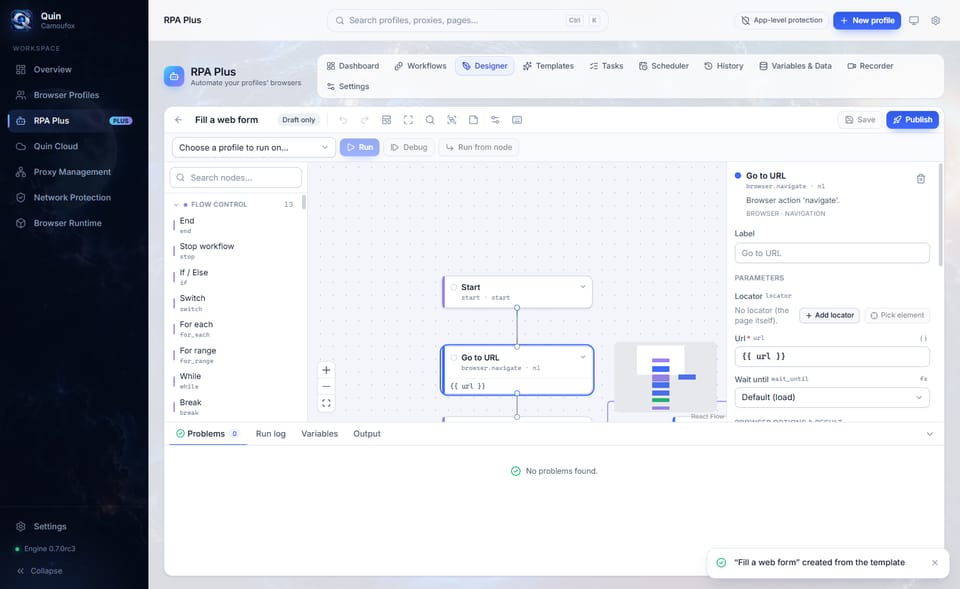
04In action
One minute, recorded in the app: profiles, a real Camoufox browser, Quin Cloud, an RPA Plus run and its results.
05How the lab works
Software built the way it should be used: tested before it ships, clear about its limits, respectful of the data and the time it is given.
Explore our technologyBehaviour is specified and documented, and every limitation we know about is written next to the feature.
Release candidates are installed and tested end to end on real Windows computers before we publish them.
Interfaces say what is happening — saving, waiting, failed — instead of hiding it.
Start-up, run latency, memory and clean-up are measured on every release, not assumed.
Small, verifiable releases. Each fix ships with a test that keeps it fixed.
06Project log
Quin Camoufox is in release-candidate testing. Read how it works, follow its releases or write to the developer.