Quin CamoufoxBrowser profile management and automation

Manage profiles. Automate workflows. Stay in control.

Run many separate, persistent browser profiles on the Firefox-based Camoufox engine, keep them in sync with Quin Cloud, automate them with RPA Plus and connect your own tools through the Local API.

Stable0.7.5Windows 10 and 11 · 64-bit
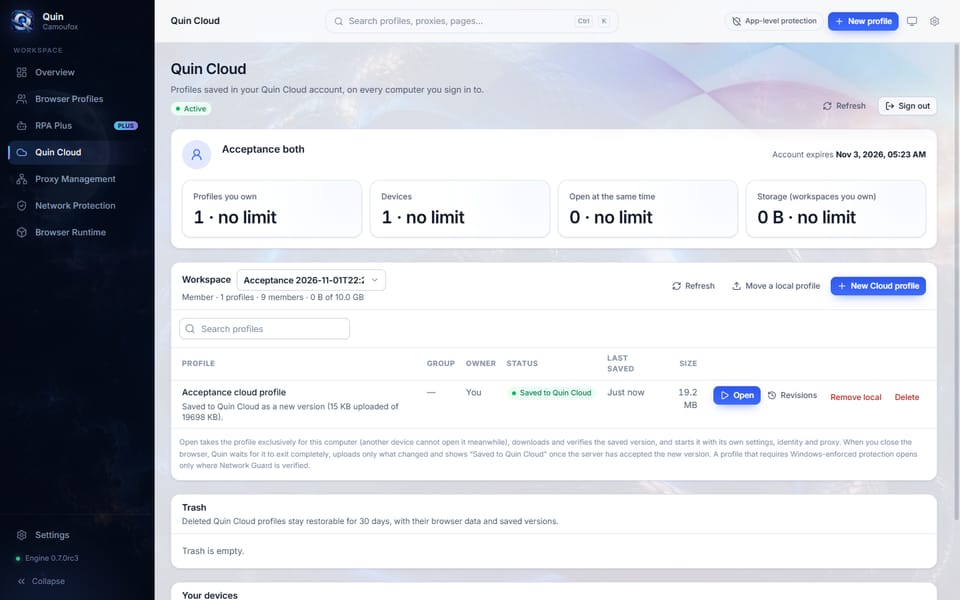
Cloud profiles that stay consistent
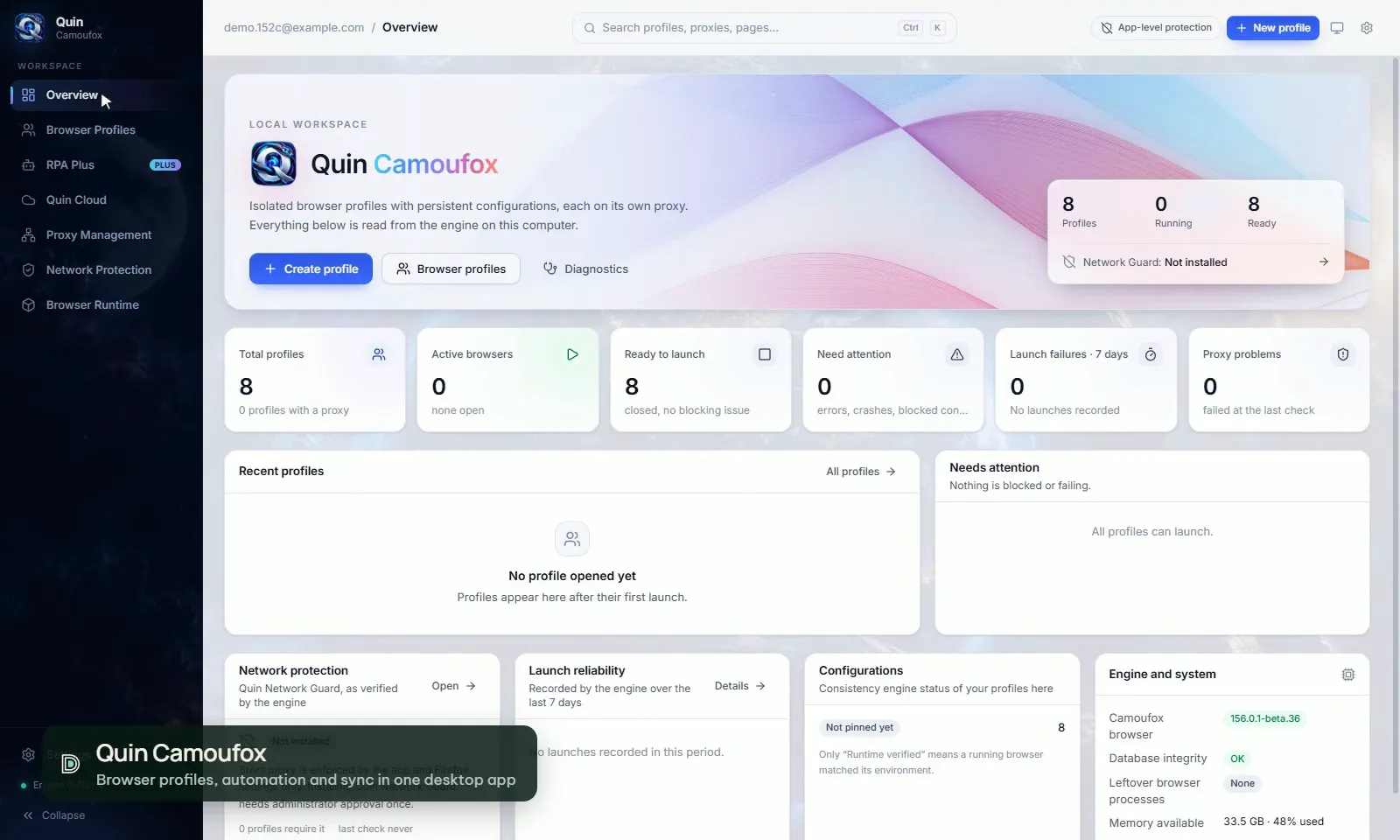
Real screenshot · Quin Camoufox 0.7.5 · synthetic test account
  1. One workspace

    Profiles, RPA Plus, Quin Cloud, proxies and browser runtimes share one sidebar.

  2. Saved, then confirmed

    A Cloud profile reads “Saved to Quin Cloud” only after the server has accepted the new version.

  3. Every save is a revision

    Each save becomes an immutable revision, listed under Revisions.

Recorded in the app

See Quin Camoufox at work

One minute: profiles, a real Camoufox browser, Quin Cloud, an RPA Plus run and its results.

See Quin Camoufox at work A real recording of Quin Camoufox 0.7 with synthetic profiles and a local demo website. Muted, with captions; speed-ups are shown on screen.

01How it works

From the first profile to automated runs.

Create and manage profiles

Every profile is its own Camoufox browser environment. Quin keeps their data apart, starts each with its own settings and proxy, and shows what is running.

  • Create profiles and organise them with groups and search
  • Assign an HTTP or SOCKS proxy per profile; if the proxy fails, the profile stops instead of connecting directly
  • Pin a profile to an approved browser runtime version
Read the docs: local profiles
One app for every browser identity you manage

Automate workflows

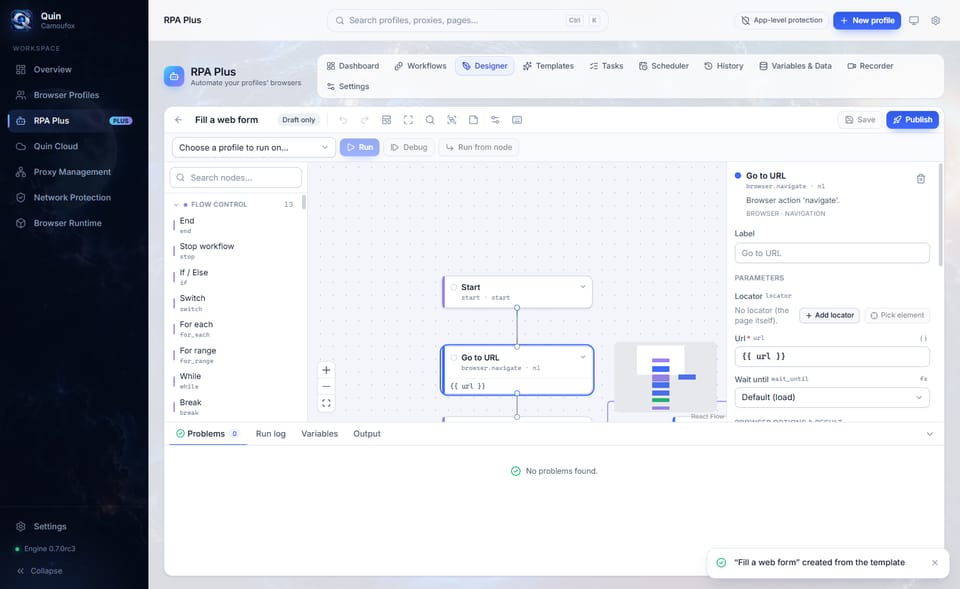
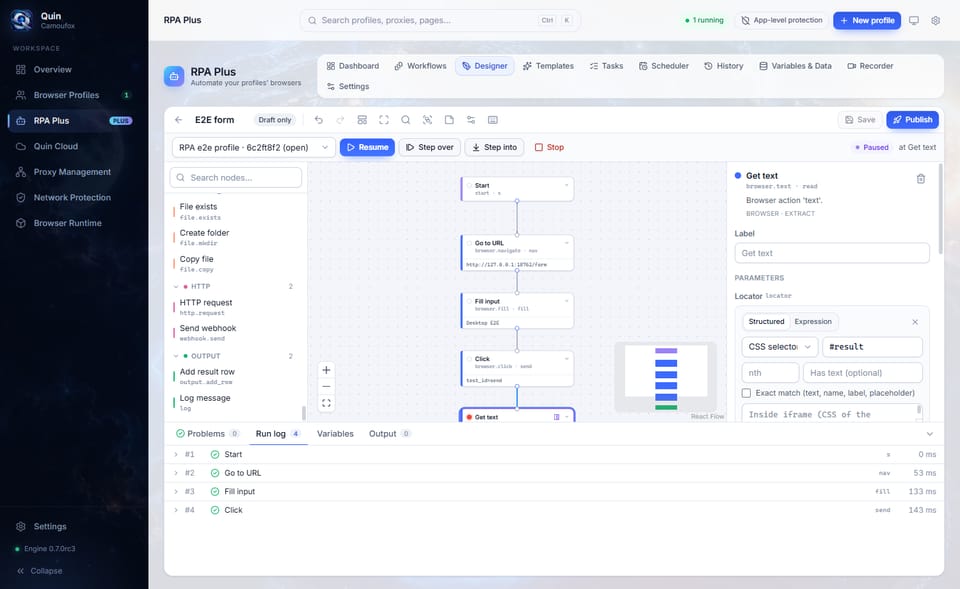
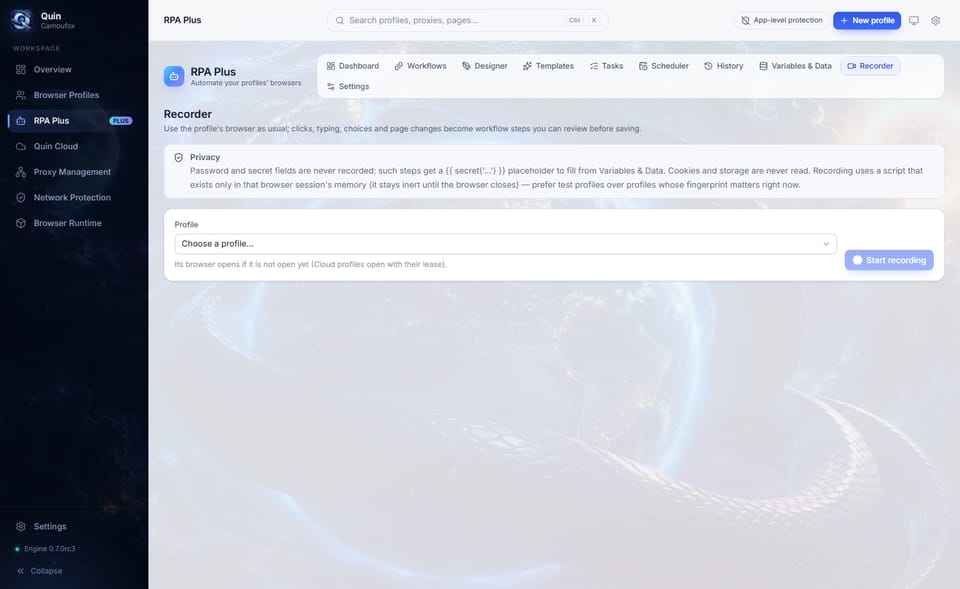
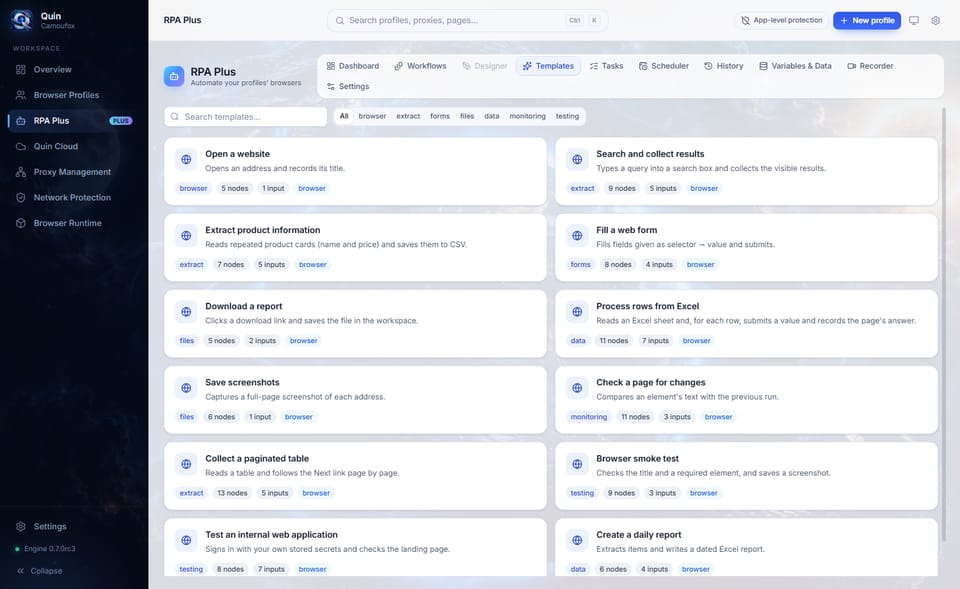
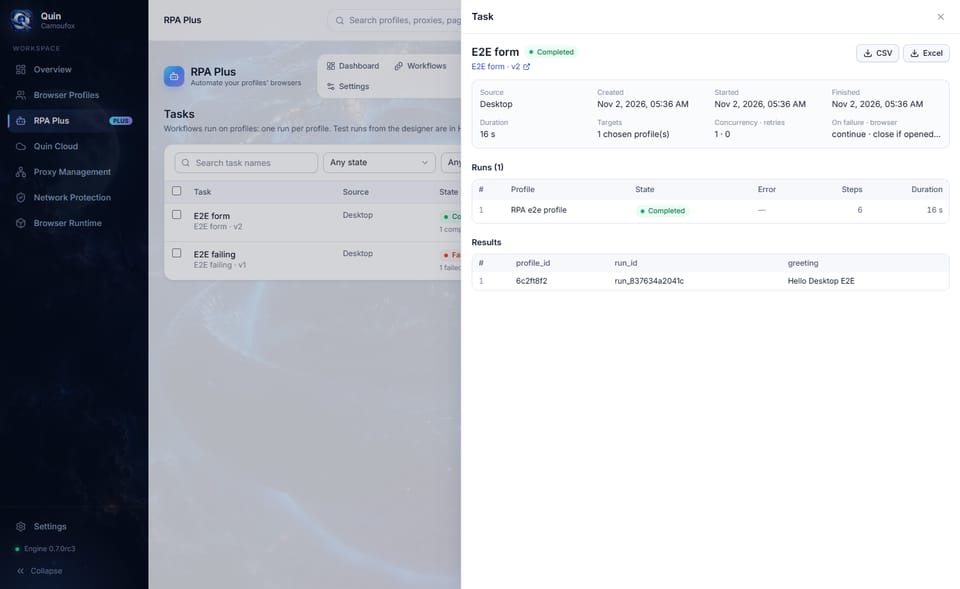
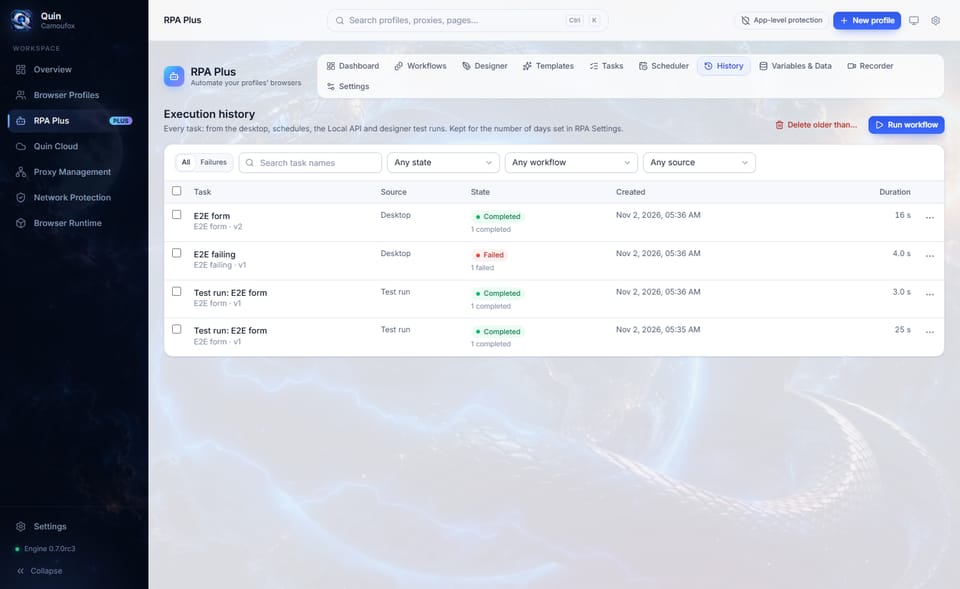
Build workflows from blocks, record them from a real browser, debug step by step and run them on one profile or many — with a result for every run.

Explore RPA Plus

Connect your code

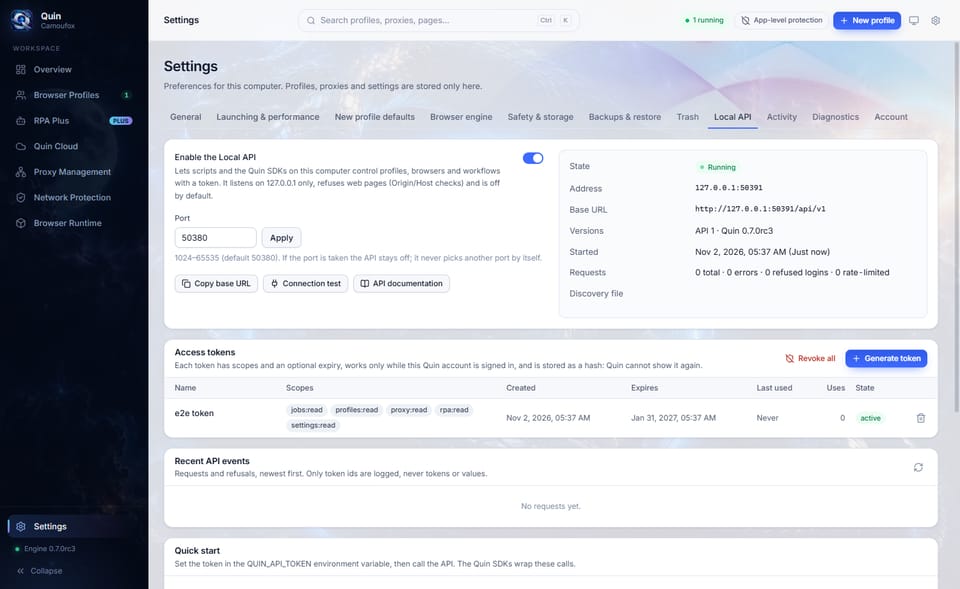
Turn on the Local API and your scripts can list profiles, open browsers, run Quin's 50 browser actions and follow jobs — over a loopback connection with scoped tokens.

Explore the Local API
Your code, your computer, Quin's browsers

Synchronise and control

A Cloud profile opens on one computer at a time and saves as a verified revision. Browser runtimes are approved, verified before they run and pinned per profile.

  • Only approved runtime versions are offered
  • Signed release metadata and file hashes are checked before a runtime is used
  • Each profile can be pinned to an exact runtime version
How Cloud sync works
This computer Writer lease Quin Cloud r1r2r3 Revisions

02In detail

Everything in the current release.

Everything below ships in the current release candidate and is documented — limitations included.

  • Many browser profiles

    Create, organise and open as many profiles as your plan allows, each in its own window.

  • Separate, persistent environments

    Every profile keeps its own cookies, storage, extensions data, proxy and settings between sessions.

  • Local and Cloud profiles

    Keep profiles on one computer, or in Quin Cloud to open them on any computer you sign in to.

  • Profile synchronisation

    Cloud profiles save as new revisions when the browser closes; only what changed is uploaded.

  • Browser runtime management

    Approved Camoufox versions are downloaded, verified and can be pinned per profile.

  • Workspace administration

    Administrators manage accounts, devices, plans and shared workspaces from their console.

  • RPA Plus

    Visual workflows, a recorder, debugger, templates, scheduler and batch runs.

  • Local API

    A loopback HTTP API to manage profiles, open browsers and run actions from your own code.

  • Python and JavaScript

    Official Python and TypeScript SDKs, the quin command-line tool and ready-made examples.

Read the docs: Browser runtimes

FAQ

Frequently asked questions

Short answers to common questions. The documentation covers each topic in depth.

What is Quin Camoufox?

A Windows desktop application from DN Labs for creating and running many separate browser profiles on Camoufox, a browser based on Firefox. It adds Quin Cloud sync, RPA Plus workflow automation and a Local API.

Which operating systems are supported?

Windows 10 (64-bit) and Windows 11. There are no macOS or Linux versions.

Does the installer contain a browser?

No. After you sign in, Quin downloads the approved Camoufox runtime, verifies it and keeps it installed across updates. Each profile can be pinned to an approved runtime version.

Does Quin require a login?

Yes. Quin Camoufox opens only for a signed-in Quin account. Accounts are created by an administrator; you can ask for one by e-mail (see Contact).

What is the difference between Local and Cloud profiles?

Local profiles stay on one computer. Cloud profiles are stored in Quin Cloud and can be opened on any computer you sign in to — on one computer at a time. Your administrator decides which modes your account can use.

How does Cloud Sync work?

Opening a Cloud profile takes an exclusive lease for your computer and downloads and verifies the saved version. When the browser closes, Quin uploads what changed and saves a new revision. How long this takes depends on your connection and the amount of data that changed.

What is RPA Plus?

Workflow automation built into Quin: a visual designer, recorder, debugger, templates, CSV and Excel files, HTTP requests, a scheduler and batch runs across profiles.

What is the Local API?

An HTTP API on your own computer (127.0.0.1) that lets your scripts manage profiles, open browsers, run the 50 browser actions and start workflows. It is off by default and uses scoped, expiring tokens.

Can I use Python?

Yes. Use the Python SDK (quin_camoufox) or the quin command-line tool. A TypeScript/JavaScript SDK and curl and PowerShell examples are also available.

Does it support Selenium or Puppeteer directly?

No. Quin uses a Firefox-based runtime and exposes its own Local API. There is no CDP, ChromeDriver/WebDriver, Selenium or Puppeteer endpoint.

Do schedules work when Quin is closed?

No. Schedules run only while Quin Camoufox is open and signed in on an authorised computer. A scheduled time missed while Quin was closed is recorded as missed.

Does it require a proxy?

No. Proxies are optional and set per profile. When a profile uses a proxy and the proxy fails, Quin stops that profile instead of connecting directly.

What are the current security limitations?

The installer is not code-signed, Windows-enforced proxy protection (Network Guard) is verified with limitations, and the Local API works only on the same computer by design. See the known limitations page for the full list.

How do I update?

Download the new installer from this website, check its SHA-256 and run it over your current version. Profiles, settings, workflows and downloaded runtimes are kept.

Follow Quin Camoufox to its stable release.

Download the Windows release candidate, check its SHA-256 and sign in with a Quin account. Accounts are created by an administrator — ask by e-mail (see Contact).