Quin Camoufox · RPA Plus
Workflow automation, inside your browser profiles.
Design a workflow once and run it on one profile or many. RPA Plus drives real Camoufox browsers with Quin's 50 browser actions and records a clear result for every run.
01The workflow loop
Build. Record. Debug. Run. Inspect.
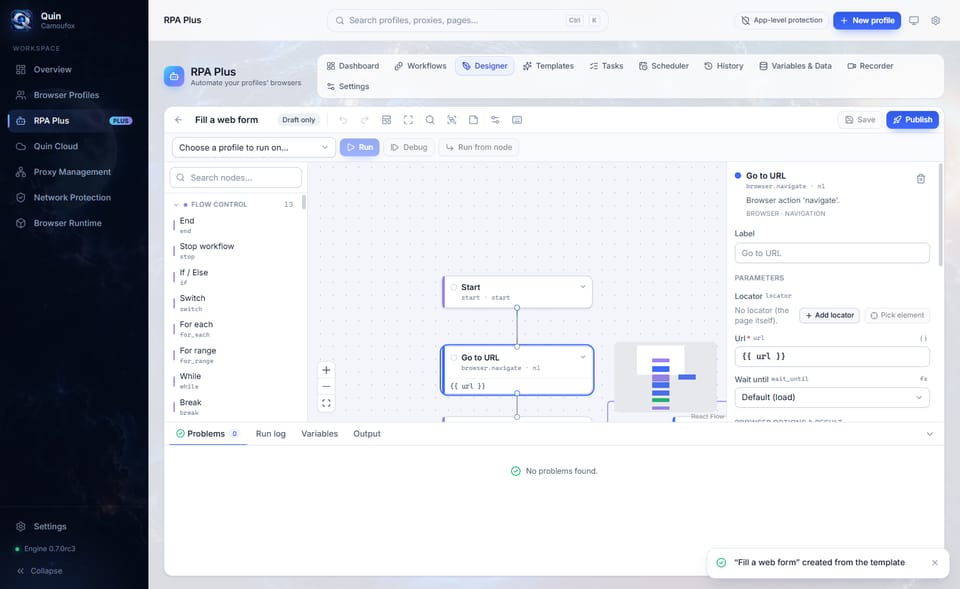
Visual designer
Build workflows from a library of blocks. The designer validates every block, shows problems before you run, keeps drafts and publishes versions.
Read the RPA Plus guideRecorder
Use the browser as usual — clicks, typing, choices and page changes become steps you can edit. Password fields are recorded as placeholders, never as the value you typed.
Read the RPA Plus guide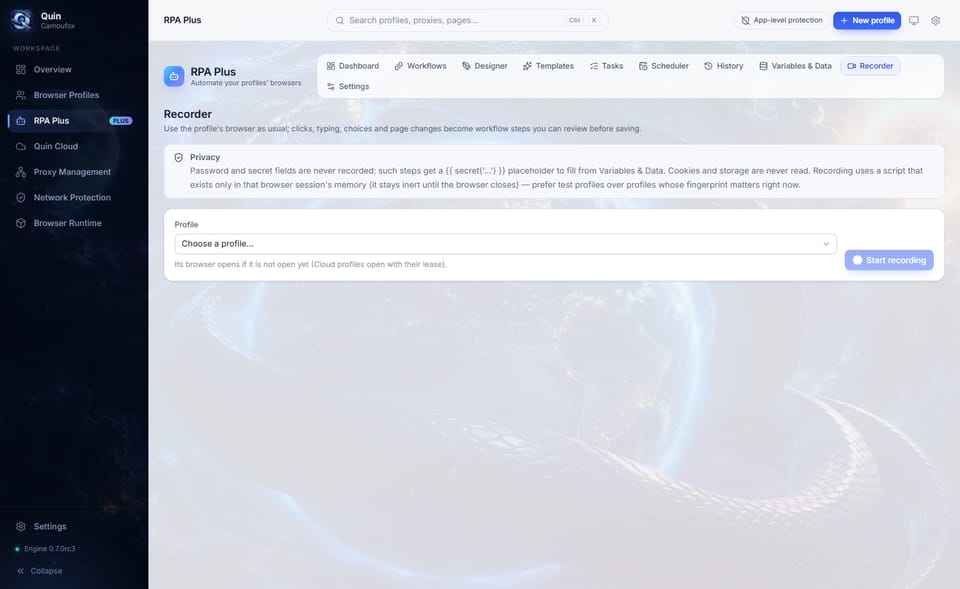
Debugger
Run from any block, pause at breakpoints, step over or into, and inspect variables and output as the run happens.
Read the RPA Plus guide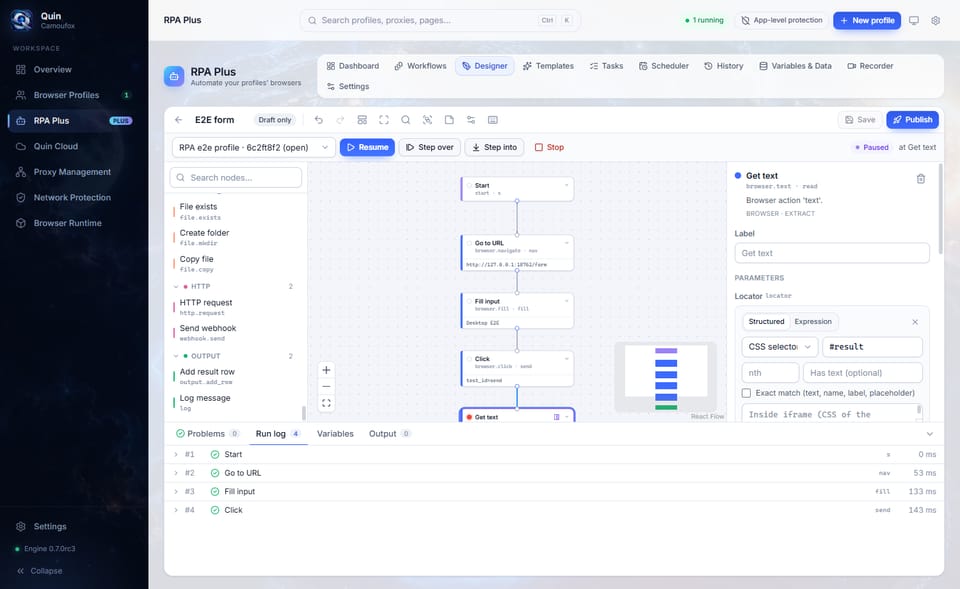
Scheduler and batches
Run once, every few minutes, daily, weekly, monthly or on a cron expression, across many profiles — each scheduled run is claimed by exactly one computer.
Read the RPA Plus guide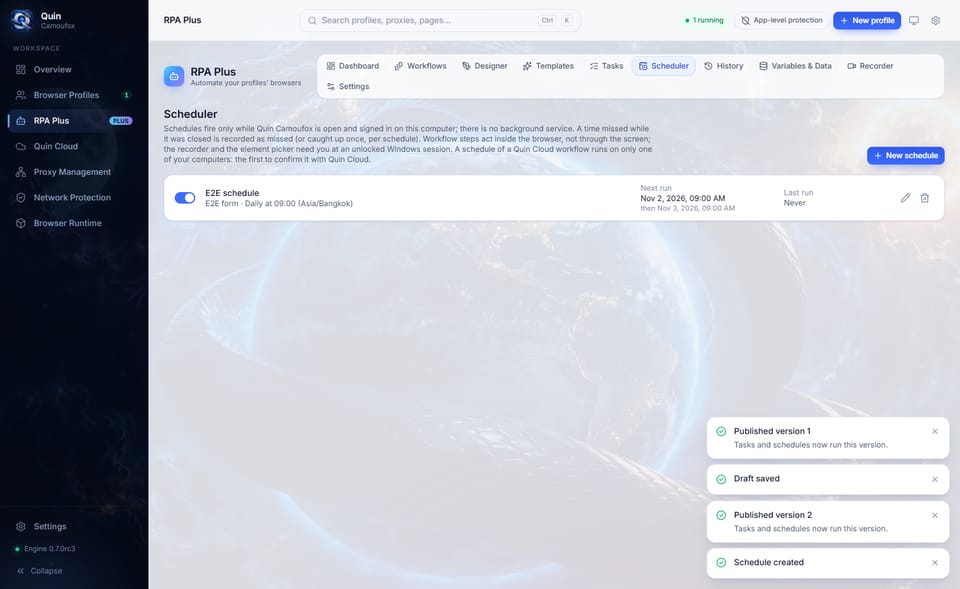
Results and history
Every run records its steps, duration, errors and output rows. Export results to CSV or Excel.
Read the RPA Plus guide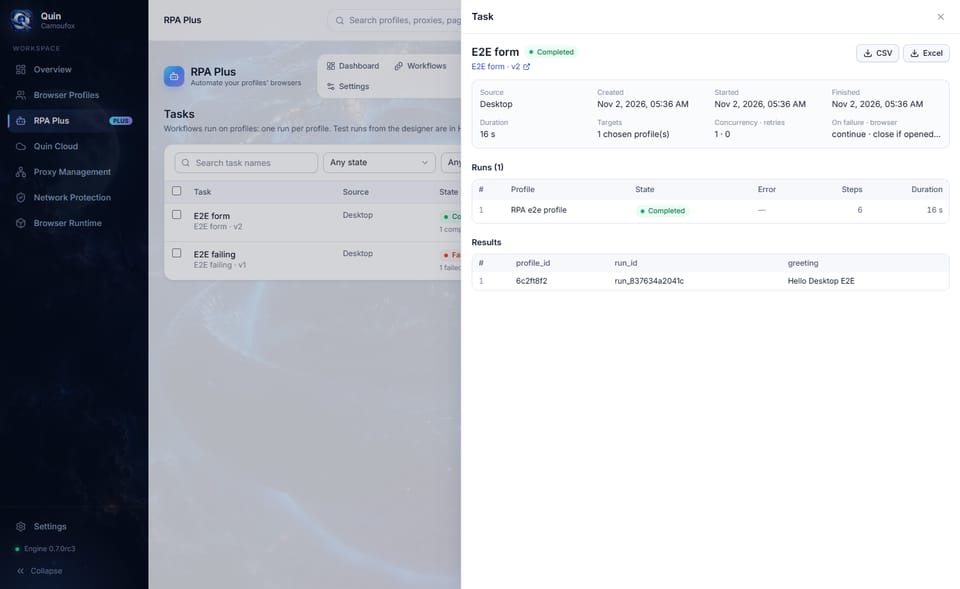
Recorded in the app
Build and run a workflow
A workflow built from blocks in the designer, run on a real profile, with its run log and result row.
02Building blocks
Everything a workflow can do today.
The building blocks available in the workflow designer today.
- 01
Variables and expressions
A small, safe expression language with variables, inputs and secrets.
- 02
Conditions and loops
If/Else, Switch, For each, For range and While, with Break and Continue.
- 03
Error handling
Retries with a delay, and error branches that decide what happens next.
- 04
Data files
Read and write CSV and Excel in the automation workspace folder.
- 05
HTTP requests
Call public web services; private, loopback and local-network addresses are refused unless you approve them.
- 06
Scheduler and batches
Run once, every few minutes, daily, weekly, monthly or by cron, on many profiles.
- 07
Cloud workflows
Share workflow definitions and versions through Quin Cloud, with one claim per scheduled run.
- 08
Templates
Twelve ready-made workflows for common tasks, from forms to paginated tables.
Schedules run only while Quin Camoufox is open and signed in on an authorised computer. A time missed while Quin was closed is recorded as missed.
03A real run
From an empty workflow to a CSV file.
These screens come from a real test run of Quin Camoufox 0.7.0-rc.3 with synthetic data.
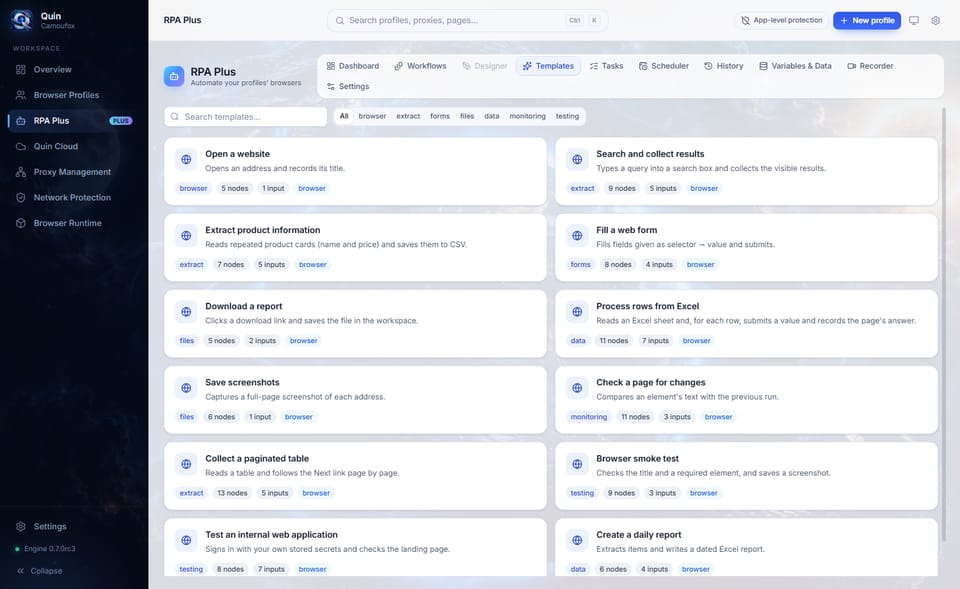
01Start from a template or a blank workflow 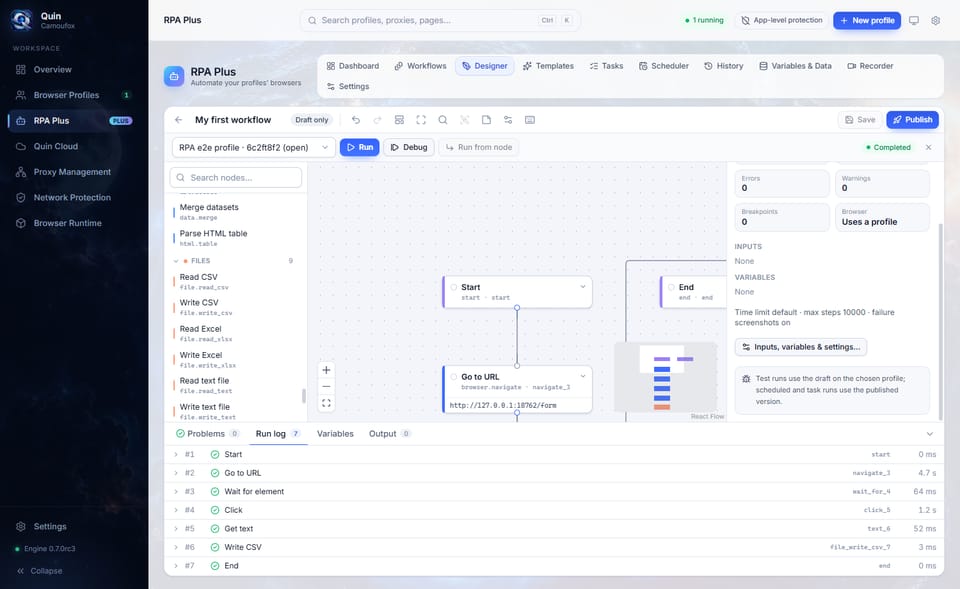
02Add blocks from the library into the chain 03Debug with breakpoints and step-by-step runs 04Read the results of every run
Included templates
- Open a website
- Search and collect results
- Extract product information
- Fill a web form
- Download a report
- Process rows from Excel
- Save screenshots
- Check a page for changes
- Collect a paginated table
- Browser smoke test
- Test an internal web application
- Create a daily report
Use automation responsibly
Automate your own work and the websites you are permitted to automate. Respect each website's terms. RPA Plus does not bypass platform restrictions or detection, and DN Labs' Acceptable Use Policy applies. Acceptable Use

Follow Quin Camoufox to its stable release.
Download the Windows release candidate, check its SHA-256 and sign in with a Quin account. Accounts are created by an administrator — ask by e-mail (see Contact).